
Moralab vs Cliptalk: Which suits your next video?
Compare Moralab and Cliptalk for AI social videos. Both describe workflows combining visuals, voice-over, and captions. Moralab gives you scene review and a timeline studio; Cliptalk emphasizes prompt-based creation, batches, and natural-language editing.
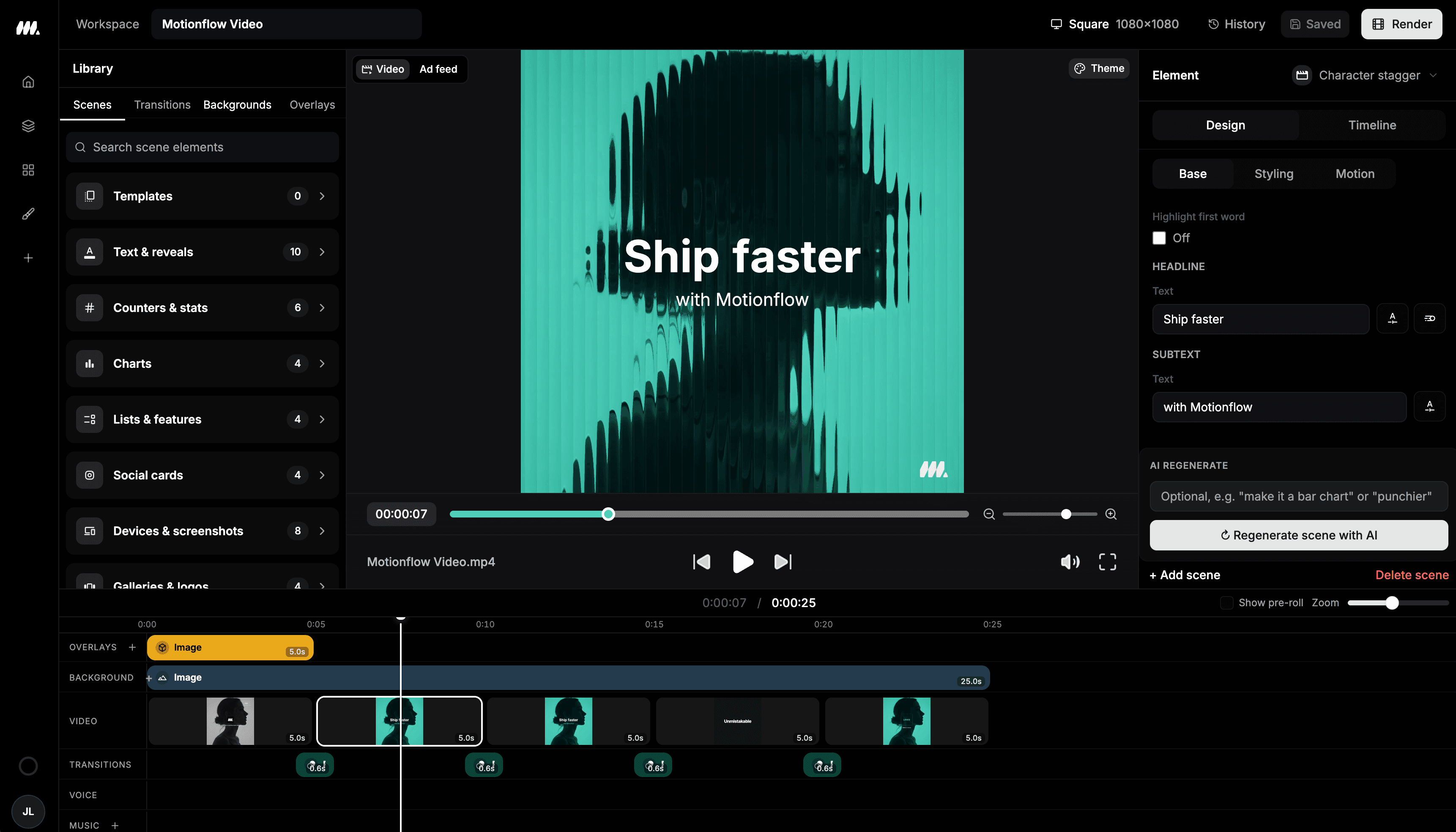
Compare the workflows
| Workflow | Moralab | Cliptalk |
|---|---|---|
| Production focus | Faceless stories, AI persona clips, and editable social videos. | Prompt-based social video creation and batches of video variations. |
| Starting point | A topic or script, a photo for a persona, published templates, or uploaded footage. | An idea, script, product photos, or a link. |
| Editing workflow | Review scenes and assets, then adjust the timeline, voice-over, captions, music, and export format. | Its site describes changing visuals, captions, scripts, and scenes, plus natural-language editing. |
Competitor details checked on October 5, 2026 against Cliptalk's official website. Compare current plan limits on each provider's pricing page.
When Moralab fits
Explore Moralab when your recurring work combines faceless stories, AI persona clips, and scene editing. Review the draft, shape the timeline, and finish narration and captions in one project.
Explore the Moralab workflowWhen to explore Cliptalk
Explore Cliptalk when generating batches of short videos and directing revisions through prompts fits your production process.
See CliptalkTry the same brief in both tools
Use the same faceless story brief in both tools. Compare the first draft, the effort to replace one visual, and control over narration and caption styling.
Moralab plans and creditsGet started within minutes
Ready to make your next video feel less boring?
Turn your ideas into faceless videos and AI persona clips. Bring visuals, voice-over, captions, and music together in an editable studio.
Create your first video