
AI does the first draft. You get the final say.
Let AI create the first draft, then make the edit yours. Work with scenes, visuals, voice-over, captions, and music on a timeline built for social video production.
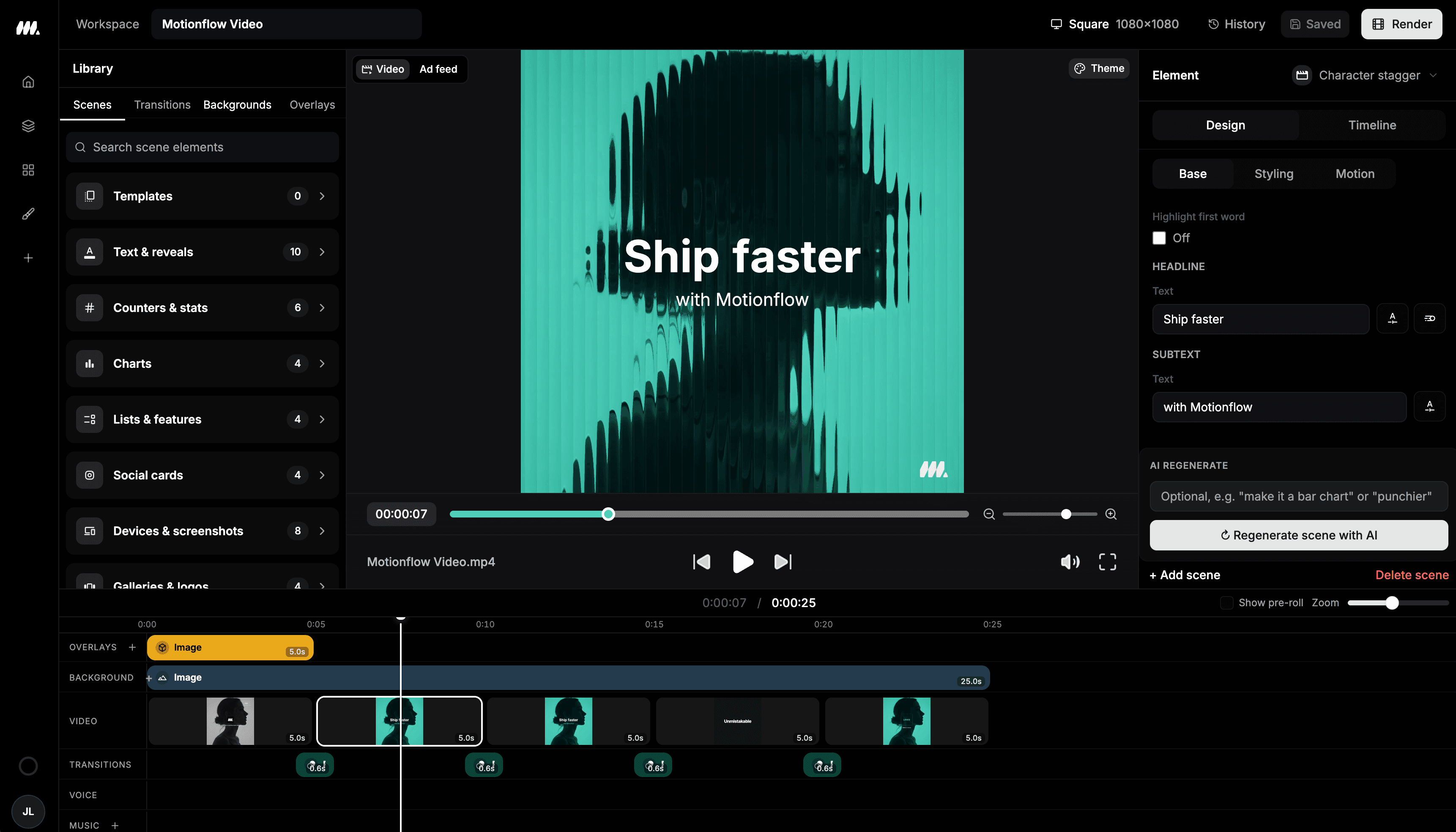
Inside the Moralab video editor
The Moralab workspace brings the preview, scene controls, and timeline into the same editing session.
What makes an AI video generator editable?
An editable AI video generator keeps the result as a project with scenes and tracks, so you can change the video after generation. In Moralab, you can review scene scripts and assets, replace media, adjust timing, style captions, and work with voice-over and music before exporting the finished video.
Make the details
yours.
Keep the moments that work and replace the ones that don't. Adjust the structure and timing from the same project.
Bring picture and sound together. Review narration, style captions, and change the soundtrack as part of the edit.
Export different dimensions and ratios for your channels. Preview each format so text and important subjects fit the frame.
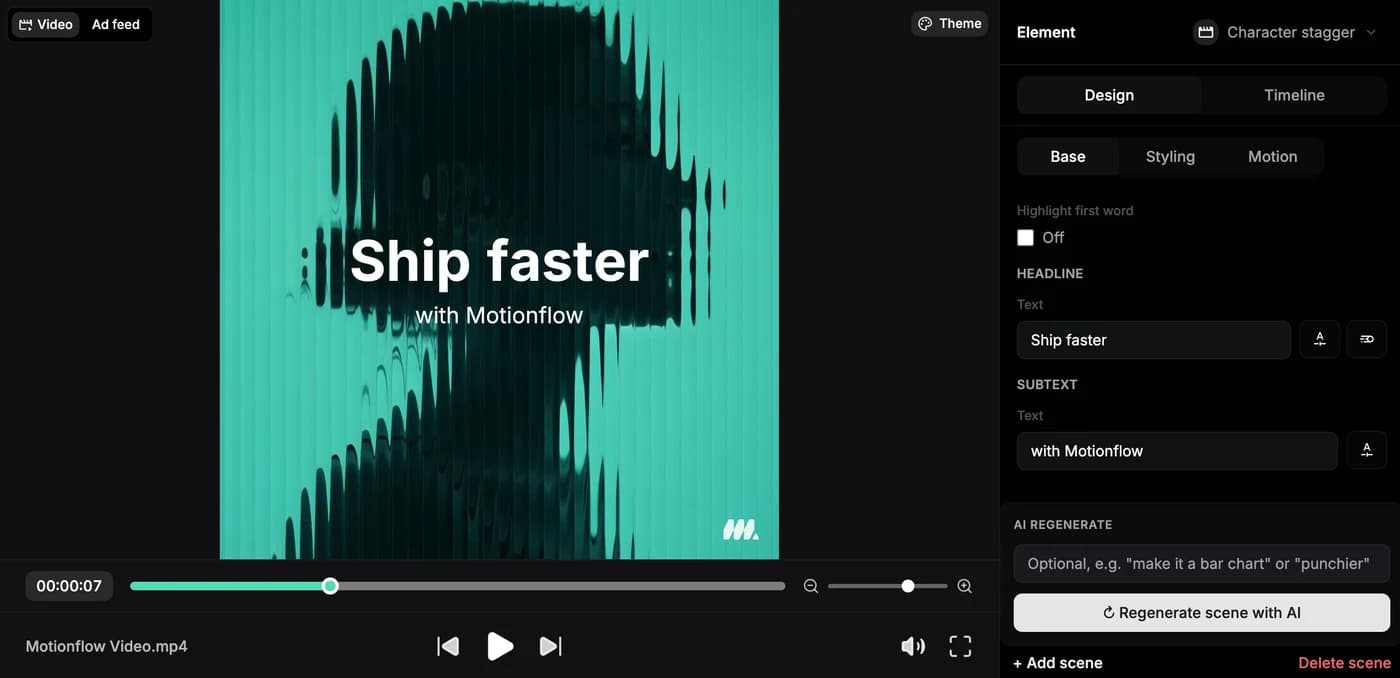
The small details. Under your control.
From idea to
finished video.
- 01
Start with a draft or footage
Generate from an idea, use a published template, or bring an existing video into the modification flow.
- 02
Shape the timeline
Review the scenes, replace media, adjust duration and ordering, and refine the voice-over and music tracks.
- 03
Preview and export
Check the complete video and caption placement. Render the dimensions you need and download the finished file.
Ideas for your next video
Faceless social videos
Refine the script, visual sequence, narration, and captions after AI has built the initial draft.
AI persona clips
Finish an approved presenter clip with caption styling, trimming, and the format you need for social.
Motion graphics and explainers
Use animated scene elements for titles, product moments, proof, and calls to action.
Frequently asked questions
Can I edit an AI-generated video without regenerating everything?
Yes. Moralab keeps the video as an editable project. You can change individual scenes, media, captions, and timeline settings rather than discarding the entire draft.
Can I add captions to an existing video?
Yes. Upload footage through Modify existing video, enable captions, then review and style the captioned result in the editor.
Does Moralab have a timeline editor?
Yes. The editor includes a live preview, scene controls, and timeline lanes for video, voice-over, and music.
Can I export different video ratios?
Yes. Export multiple dimensions and ratios from one project. Preview each version and adjust the framing and caption placement for the target channel.
Where can I see subscription pricing?
The Pricing page lists Moralab's current plans. Review the included credits and limits for your intended generation and publishing workload.
Get started within minutes
Ready to make your next video feel less boring?
Turn your ideas into faceless videos and AI persona clips. Bring visuals, voice-over, captions, and music together in an editable studio.
Create your first video