
Less setup, more time for your next video
Start with a structure, then make it your video. Browse the published templates in the studio, preview a finished example, and customize the scenes for your message.
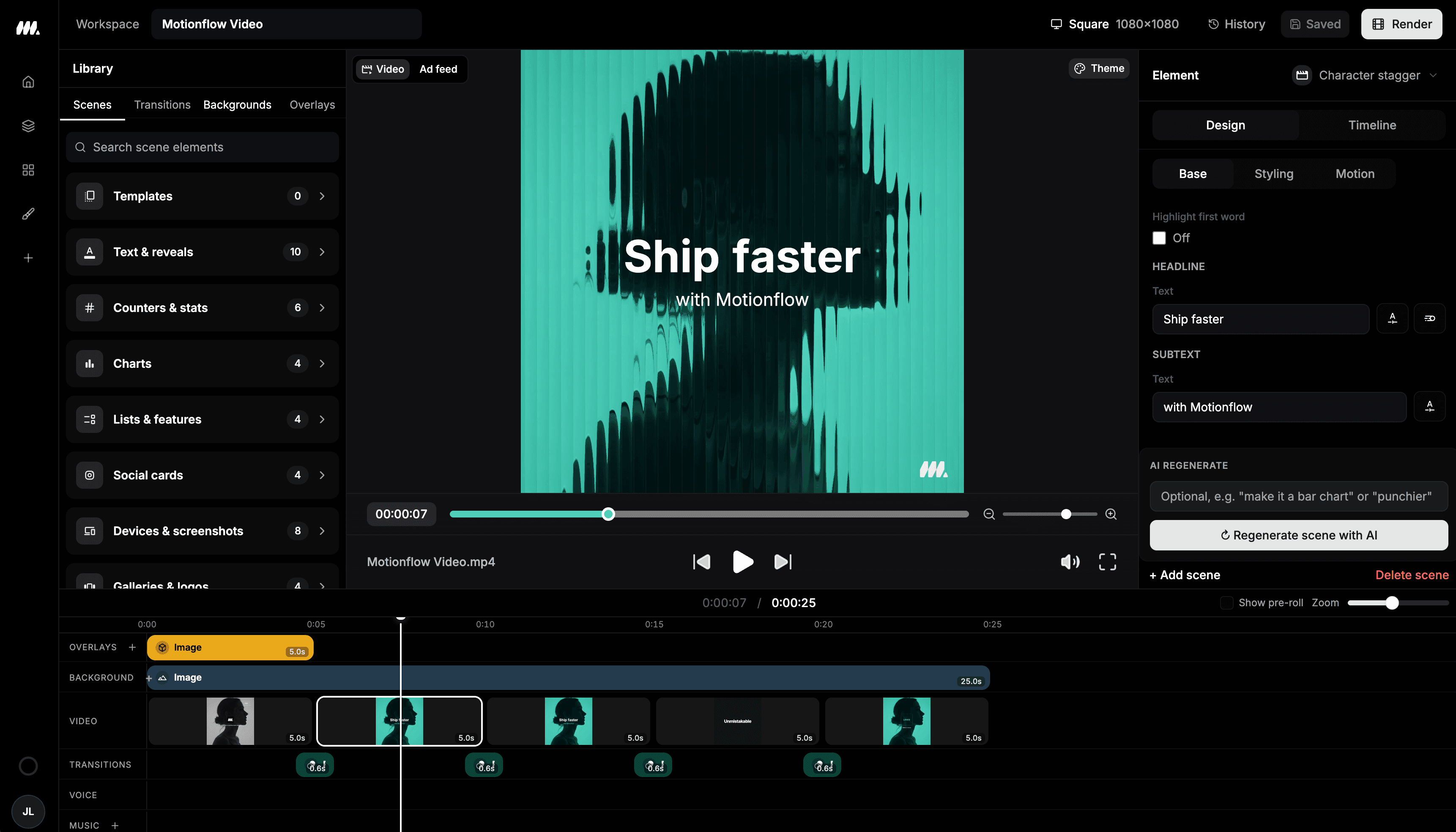
Customize a project in the Moralab editor
The editable studio is where you shape the scenes, media, and timeline after choosing a template.
How do editable AI video templates work?
An editable video template is a reusable project structure with scenes and export settings you can customize. Moralab's Template mode shows admin-published templates with a live preview. Choose a template to create your own project, then review and change its text, media, styling, and available tracks in the editor.
Make the details
yours.
See how a finished video is organized before creating your version. Choose a template whose pacing and scene structure match the message.
Customize supported scene properties and replace assets in your own project. Review inherited captions and audio before export.
The gallery plays a preview of the selected published template so you can inspect the format before making a project.
Make your message move.
From idea to
finished video.
- 01
Preview a published template
Open Template mode in the creation flow. Browse the current published collection and play the preview before choosing.
- 02
Make the content your own
Create a project from the template, replace its message and media, and set the styling for your audience.
- 03
Finish the sequence
Adjust timing, check audio and captions, and preview your intended export format before rendering.
Ideas for your next video
A recurring social format
Look for a structure that can carry different episodes with the same voice and visual identity.
An announcement or explainer
Choose a sequence with enough room for a clear opening, supporting details, and a closing message.
A motion graphics starting point
Use an animated structure when titles, comparisons, or product moments should carry the explanation.
Frequently asked questions
Where can I browse Moralab video templates?
Open the creation flow and choose Template from the Mode menu. The studio displays the currently published collection and a live preview of the selected template.
Can I change a template after creating the video?
Yes. A template creates your own editable project. Change the text, replace media, customize supported scene properties, and review timing in the editor.
Is every video format available as a template?
The collection depends on which templates are currently published. Browse the studio for availability, or start from an AI brief or a manual project if you need a different structure.
Get started within minutes
Ready to make your next video feel less boring?
Turn your ideas into faceless videos and AI persona clips. Bring visuals, voice-over, captions, and music together in an editable studio.
Create your first video