
Generate an AI persona and build your own audience
Create a presenter for your next social video. Start with a photo or describe an AI persona, approve the script and voice, and turn your message into a talking-to-camera clip.
An account is required to generate your video.
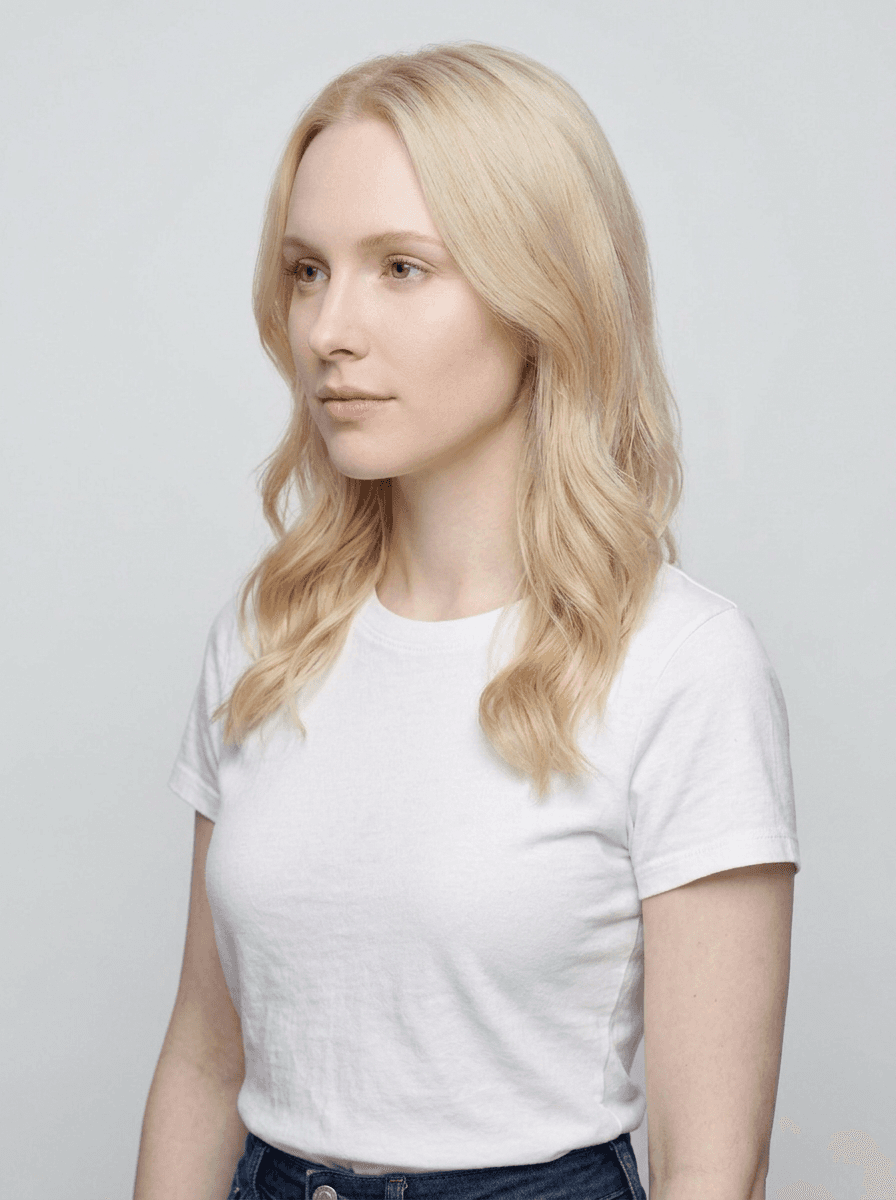 The persona
Your script.
Your voice.
Your story.
Moralab AI persona example
A talking-to-camera example showing the AI persona format. Use your own approved avatar, message, and voice for your project.
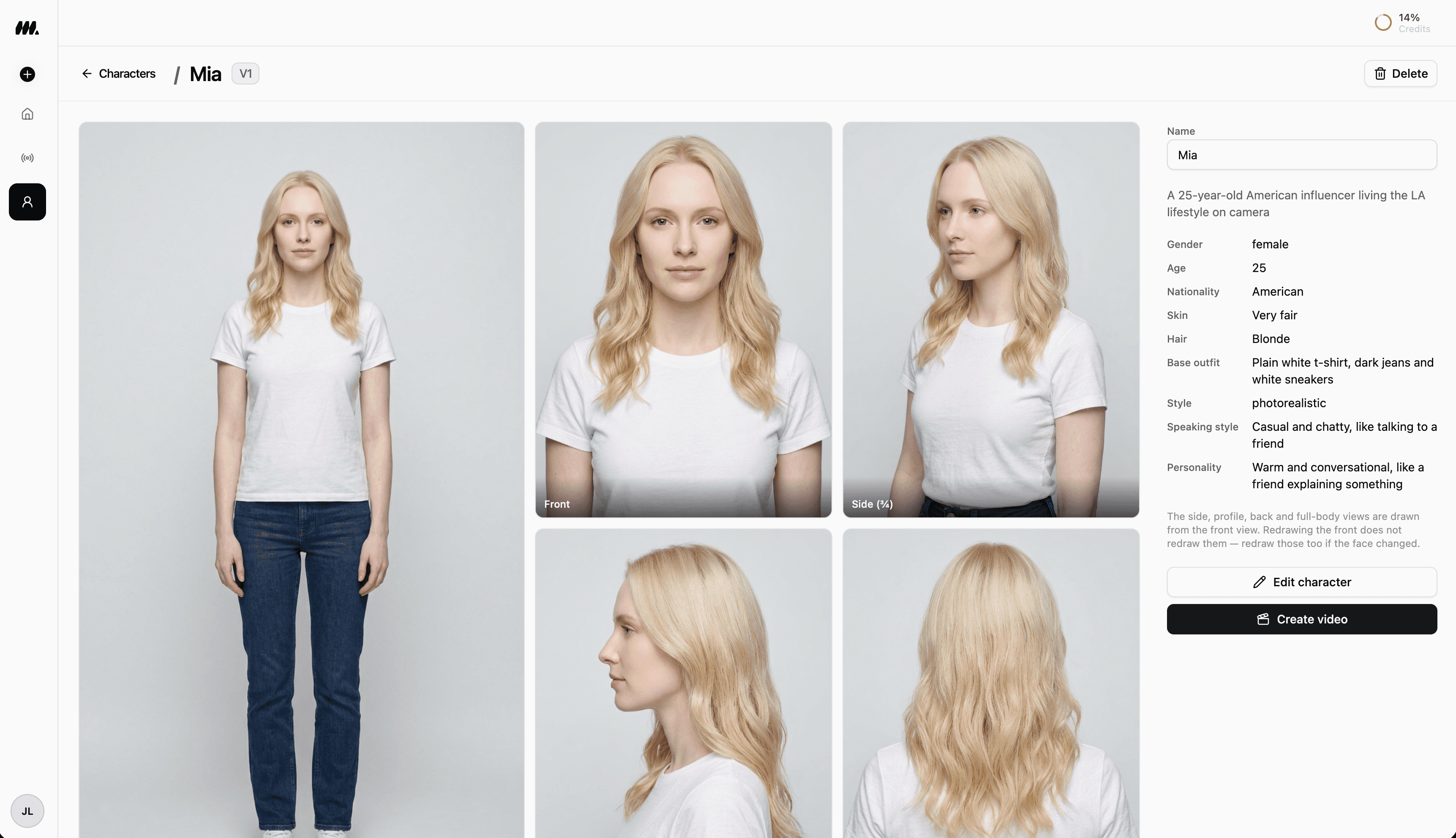
Your presenter. Your personality.
Give your next UGC-style video a face of its own. Build a synthetic presenter around your idea, review their look, and choose how they deliver your message.
- Start with a reference photo or describe the AI presenter you have in mind.
- Shape their appearance, outfit, personality, and speaking style.
- Review the persona, then approve your script and voice before generating the speaking clip.
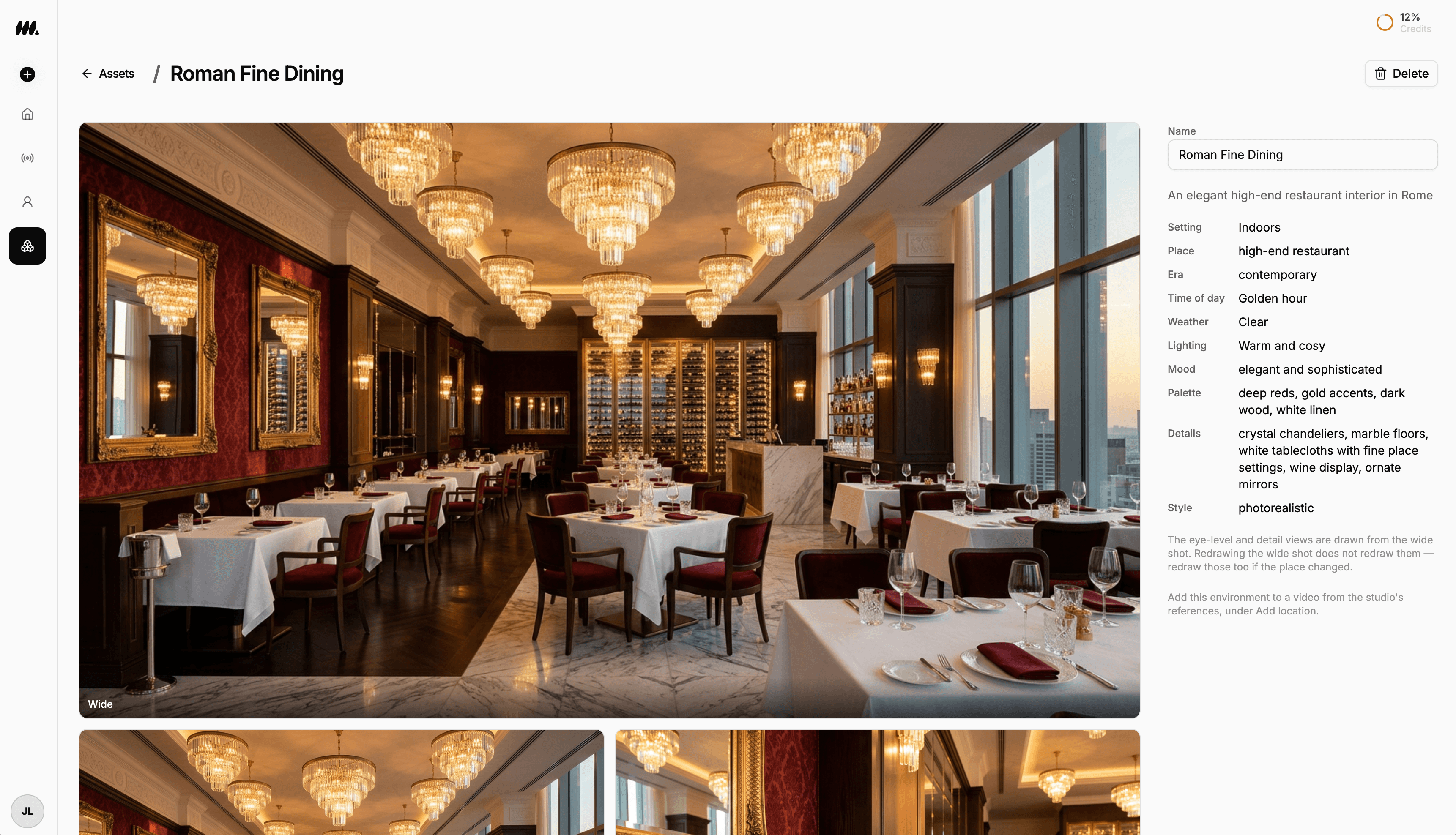
Your presenter needs a place.
A bright kitchen. A quiet home office. A restaurant at golden hour. Create a setting for your story, then pair it with a saved character in the studio.
- Describe a location or bring a reference photo.
- Set the lighting, mood, palette, and visual style before creating it.
- Save wide, eye-level, and detail views. Use Add location to bring the environment into a studio video.
What is an AI UGC video generator?
An AI UGC video generator creates presenter-led content with an AI avatar, script, and synthesized voice. Moralab's AI persona flow lets you approve the avatar and script before generating speech and lip-sync. The output is UGC-style synthetic content, rather than a recording or testimonial from a real customer.
Make the details
yours.
The avatar is reviewed before video generation. Use the supplied photo, request a variation, or generate a persona from a description.
Voice synthesis and lip-sync connect the approved script to the presenter. Review the result before using it in a campaign.
Adjust the clip and caption style in the editor. Review narration and the final framing before you export.
A persona.
A point of view.
Your message.
From idea to
finished video.
- 01
Approve the persona
Upload a reference photo or describe the avatar. Review the generated image and choose the face and framing before moving on.
- 02
Set the script and voice
Bring a script or ask for a draft from a topic. Approve the words, choose a voice, and decide whether to include captions.
- 03
Review the speaking clip
Generate the persona video with speech and lip-sync. Approve the clip or try again, then open the finished project to edit and export.
Ideas for your next video
Product introductions
Explain what a product does in a short presenter-led clip, using accurate details and a clear call to action.
Social explainers
Have an AI persona introduce an idea, answer a common question, or present a short educational script.
UGC-style ad concepts
Explore different messages and openings using AI presenters. Review the script and generated performance before selecting a version.
Frequently asked questions
What is an AI persona video generator?
An AI persona video generator turns an approved avatar and script into a presenter clip. Moralab lets you generate or upload the avatar, choose a voice, approve the script, and review the speaking video before export.
Can I create an AI persona from a photo?
Yes. Upload a photo for the avatar, choose whether to use it as supplied or request a variation, and review the image before creating the clip.
Can Moralab generate the avatar and script?
Yes. Describe the persona to generate an avatar image, and provide a topic to draft a script. Both are reviewed before the speaking video is generated.
Does the AI presenter lip-sync to my script?
The speaking workflow generates a voice track from your approved script and applies lip-sync to the clip. Preview the result and request another clip if the performance needs work.
Is AI UGC the same as a real customer testimonial?
No. An AI persona is a synthetic presenter. Use it to communicate your own message; it does not establish that a real customer used or endorsed a product.
Can I edit my AI persona video afterward?
Yes. Open the finished project in the editor to adjust the clip, captions, and available audio tracks, then export a social format.
Get started within minutes
Ready to make your next video feel less boring?
Turn your ideas into faceless videos and AI persona clips. Bring visuals, voice-over, captions, and music together in an editable studio.
Create your first video